Project Type
- VR learning experience
- Immersive healthcare training
- Clinical process simulation
- Guided procedural learning
- Design documentation
- Interaction design
- Scenario-based training
Platform / Tools
- Meta Quest
- Unity
- VR interaction design
- Voiceover-led instructional design
- Clinical training design
- Design documentation
Overview
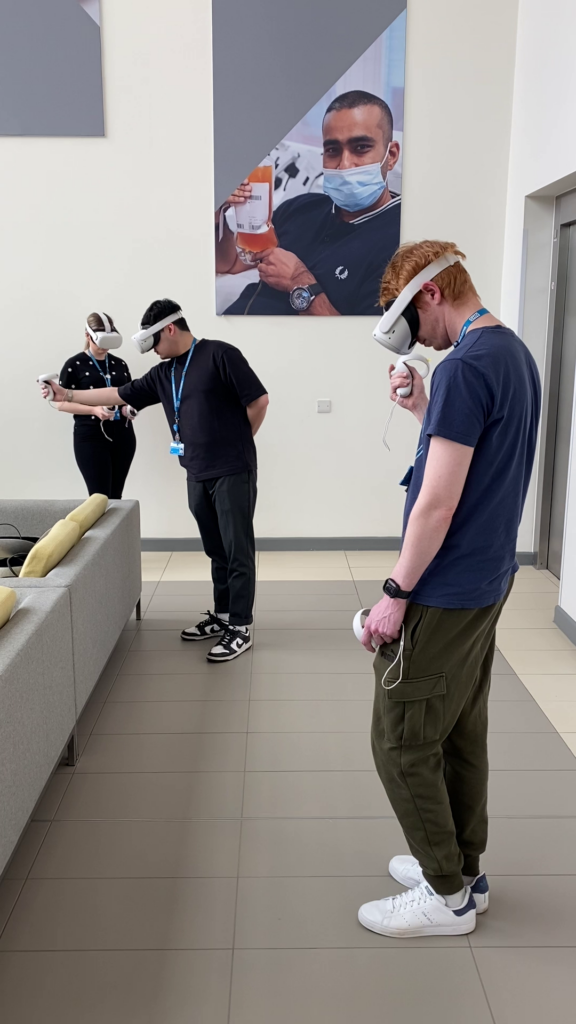
This project was a VR learning experience for NHSBT, designed to teach the ABO blood grouping process in a guided, repeatable and safe virtual lab environment.
The experience focused on helping learners understand the practical steps involved in ABO grouping by CAT, including checking patient details, preparing samples, pipetting fluids, using the centrifuge, interpreting the group card, and identifying the patient’s blood group from forward and reverse grouping outcomes.
The aim was not to create a freeform simulation, but a structured learning experience that could support trainees by allowing them to practise the process in VR before applying those skills in a real clinical setting.
Context
NHSBT needed a way to support training for Biomedical Scientists working in transfusion. During the design process, the main challenges identified were limited time for training, too many trainees in a single session, and gaps in basic transfusion knowledge among some staff new to the discipline.
The VR experience was designed to address these challenges by offering a short, repeatable and always-available training tool. It gave learners a safe space to make mistakes, understand the process, and see the potential patient impact of their decisions.
The project built on the interaction language and clinical training approach used in previous Blood Identification and Crossmatching VR experiences.
My Role
I was the lead designer on this project.
I authored the design documentation, structured the learning flow, and translated the ABO grouping process into a guided VR experience that could be completed within the project scope.
My work included defining the learner journey, designing the scenario structure, specifying the required interactions, shaping the voiceover-led teaching approach, and identifying how complex clinical steps could be represented clearly in VR.
I also designed the use of patient scenarios, equipment handling, pipetting interactions, group card interpretation, feedback moments, and positive and negative outcome states.
A key part of the design challenge was balancing clinical accuracy with usability. The experience needed to be clear enough for learners new to transfusion, while still respecting the seriousness and procedural detail of ABO grouping.
Problem
The core problem was how to teach a detailed clinical process in VR without overwhelming the learner.
ABO grouping involves multiple steps, including checking patient information, handling samples, preparing suspensions, using pipettes, placing samples into the correct wells, centrifuging the card, and interpreting the final result.
The experience needed to help learners understand what to do, why they were doing it, and what could happen if the process was interpreted incorrectly.
It also needed to work within the limits of a short VR experience, without requiring a full laboratory simulation or open-ended experimentation.
Constraints
The experience had to be delivered as a standalone VR learning package for Quest 2 and Quest 3 headsets.
It needed to work without ongoing Wi-Fi access after installation, with no requirement to connect to a Learning Management System.
The scope was focused on a guided experience rather than a full freeform simulation. Learners would be guided through the correct process using voiceover, highlighted objects, UI panels, and controlled interactions.
The experience also had to minimise the risk of nausea. It was designed as a standing VR experience taking place in one main location, with no artificial locomotion.
The interaction design also needed to support two-handed use, as the task involved handling equipment and performing pipetting actions.
Approach
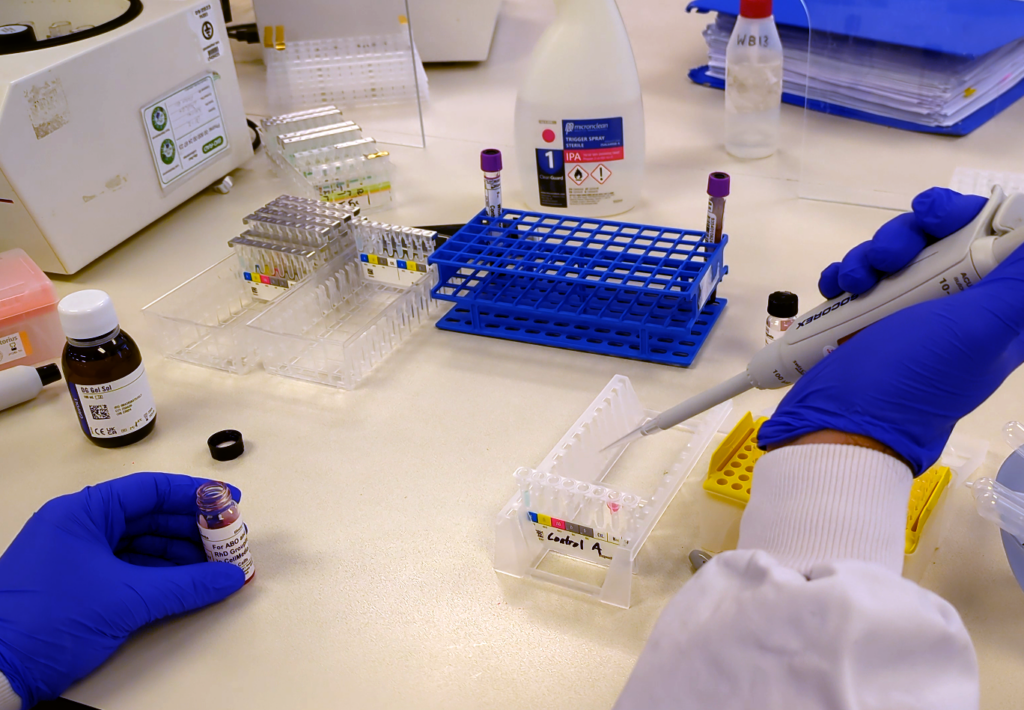
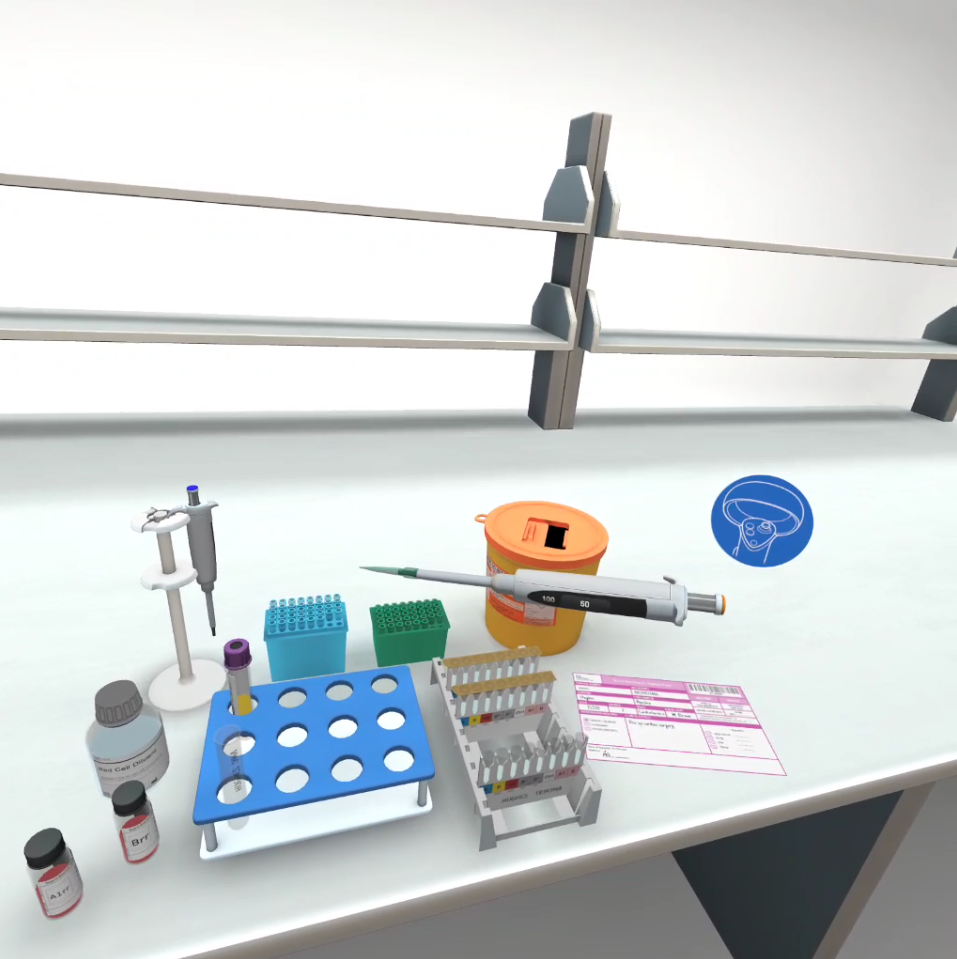
The experience was structured as a guided VR lab scenario.
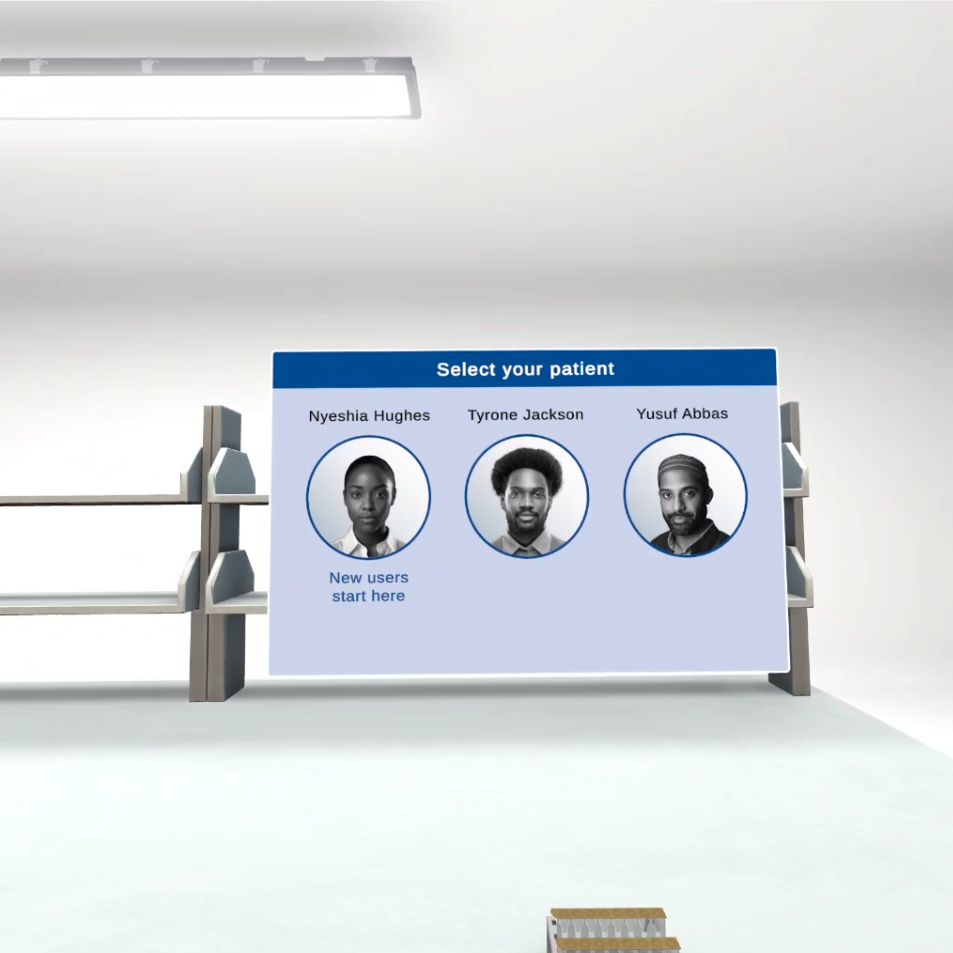
Learners begin at a start screen, select one of three patient scenarios, then move through a controlled sequence of tasks. The first patient scenario is fully narrated and explains both what the learner needs to do and why each step matters. Later scenarios provide less explanation and are intended to offer a more advanced experience.
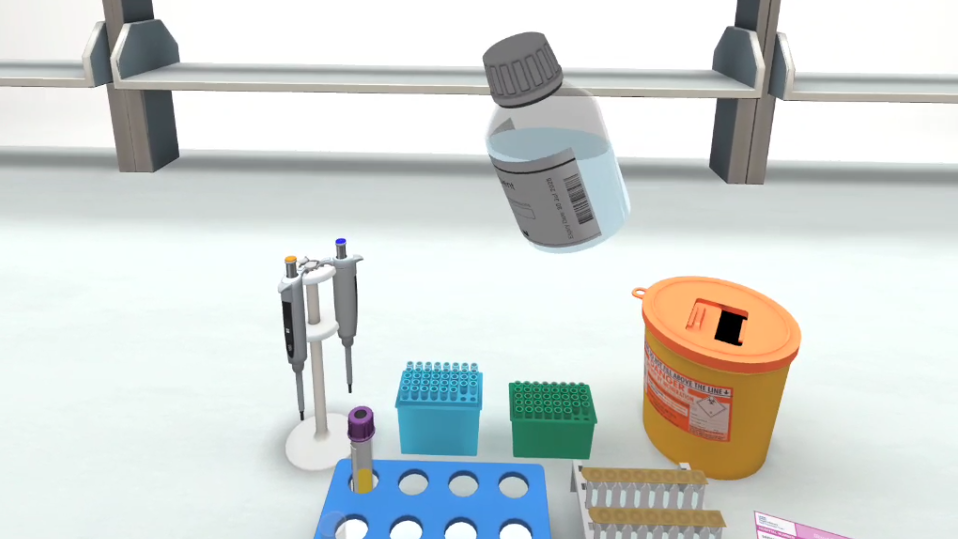
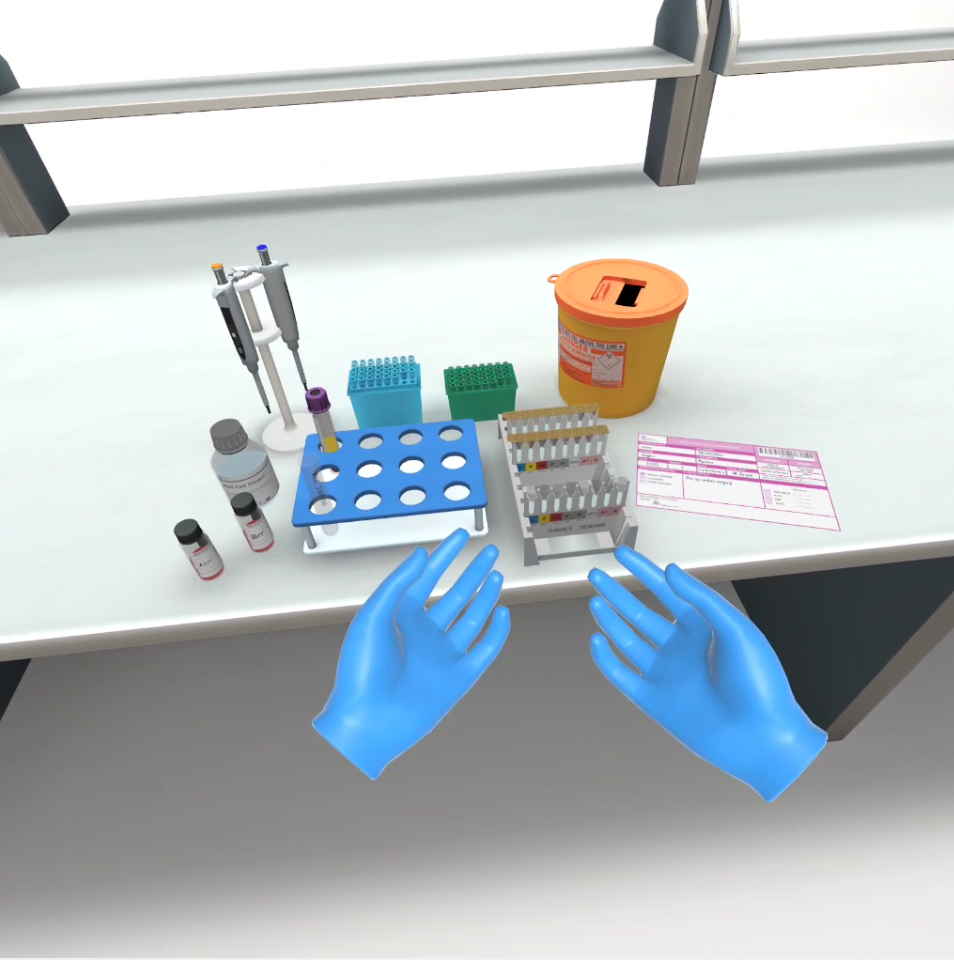
The design places the learner in a simplified lab environment with only the relevant objects available. This reduces distraction and helps focus attention on the core process.
The experience is organised around three main work positions:
• A full work area view for the introduction and outcome
• A focused bench position for the test tube rack, pipettes, diluent, patient sample and group card
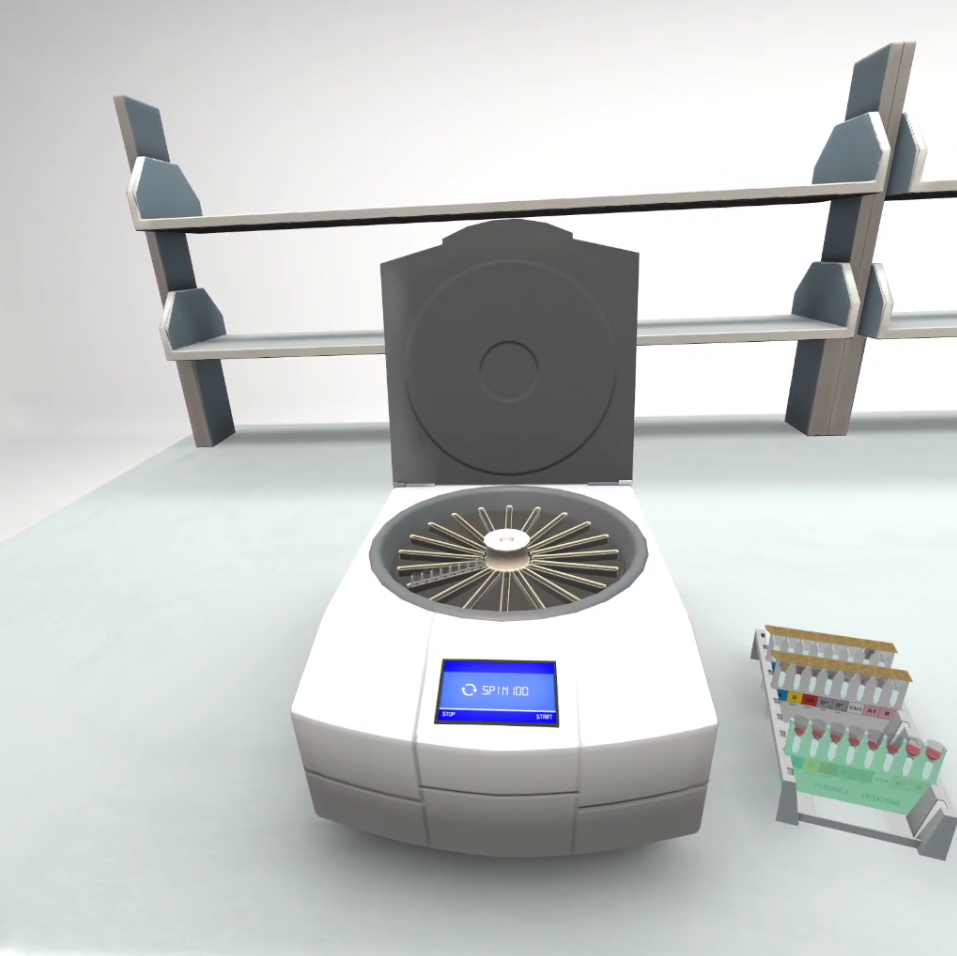
• A centrifuge position for processing the prepared card
Learning Flow
The learner is guided through the ABO grouping process in a clear sequence.
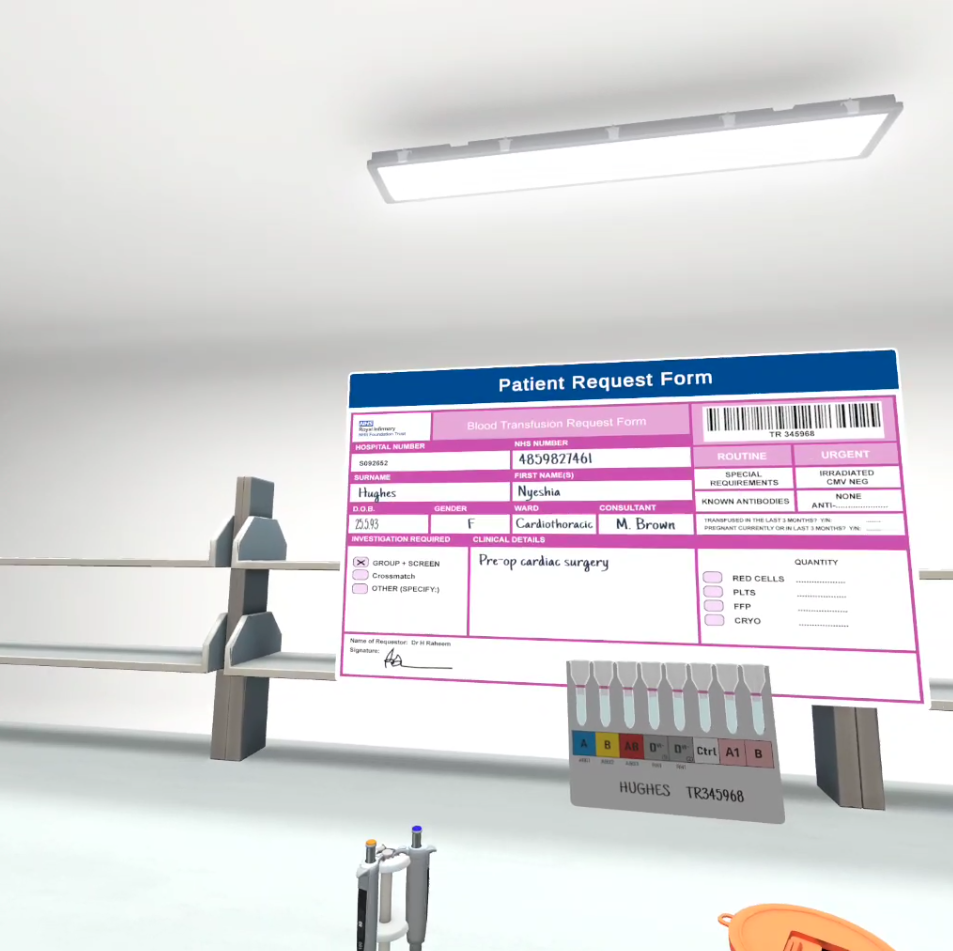
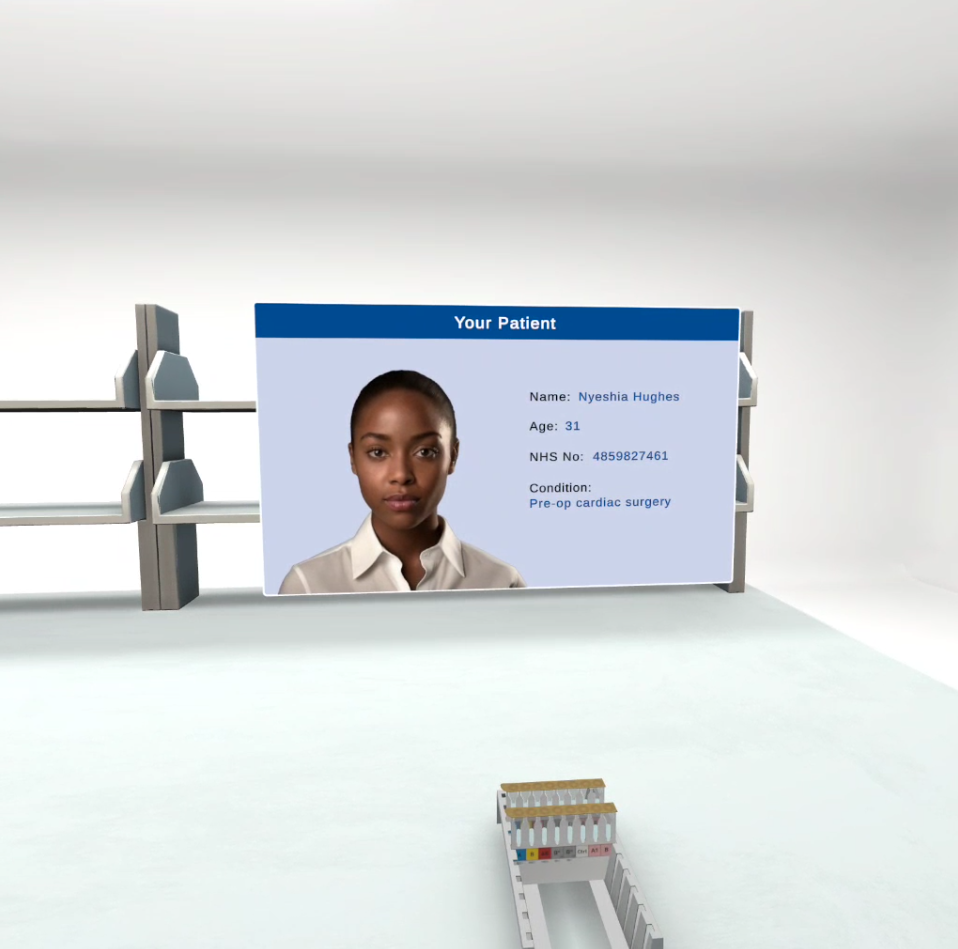
First, they review the patient request form and check patient details. They then inspect the patient sample label and check that the information matches the required details.
The learner checks the group card label and card integrity before beginning the pipetting process.
They then pipette A1rr and Brr suspension, pipette patient plasma, prepare a 5% patient red cell suspension, and pipette the patient red cell suspension into the relevant wells.
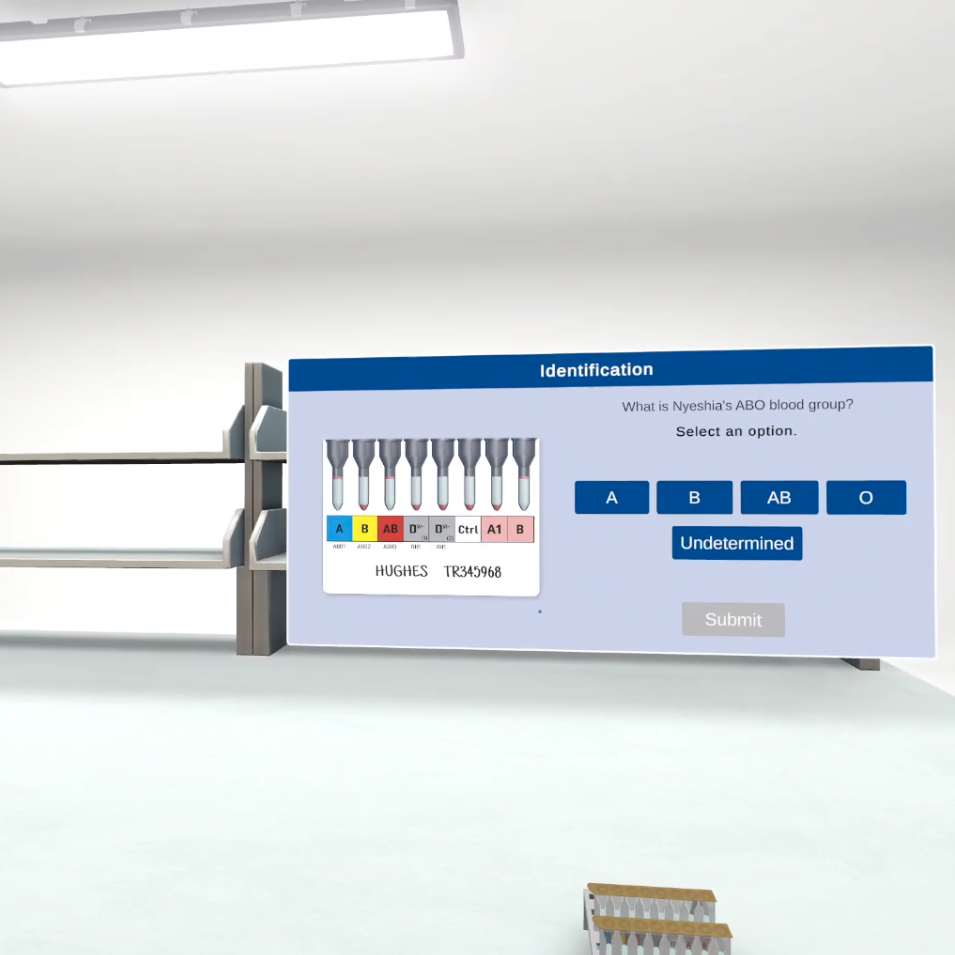
After preparing the group card, the learner places it into the centrifuge. Once centrifugation is complete, they interpret the results using the reaction grading chart and select the correct blood group from the available options.
The experience then shows the consequence of the learner’s decision through a positive or negative outcome.
Interaction Design
The interactions were designed to be guided, simple and consistent.
The learner selects and picks up objects using the controller trigger. Interactable items are highlighted, and objects snap into the correct position when placed in a valid target area.
The main practical interaction is pipetting. The learner uses the controller trigger to depress the pipette, releases it to take a sample, then uses the trigger and A button to dispense. Haptic feedback is used to help communicate correct trigger pressure.
The design also includes error prevention. For example, if the learner chooses the wrong pipette, they are not able to pick it up. If they place the pipette into the wrong tip tray, an error message plays and the tip does not attach.
These choices kept the experience focused on learning the correct process rather than allowing learners to become stuck through avoidable interaction mistakes.
Patient Scenarios
The experience included three patient scenarios.
Each patient had a different clinical context and blood group outcome. The first scenario was designed as the most guided experience, with fuller narration and explanation. The second scenario provided a briefer version of the same process. The third was intended as a more advanced scenario involving a double population anomaly.
The patient scenarios were important because they connected the technical process to patient impact. The learner was not just completing a lab procedure. They were identifying a blood group for a person whose outcome could be affected by the accuracy of that decision.
Information Design
The experience used three main types of instructional content.
Voiceover acted as the expert guide. It explained what the learner should do next, provided reminders, corrected mistakes, and explained key concepts where needed.
UI panels were used for important reference information, including patient details and forms. These panels were designed to mimic authentic clinical information displays where possible.
Animation was reserved for information that would be difficult to simulate directly in VR, or where additional emotional impact was needed.
Outcome Design
The outcome sequence was designed to reinforce the importance of accurate interpretation.
If the learner selected the correct blood group, they saw a positive outcome animation showing the donor blood successfully integrating with the patient. The voiceover explained the positive implications of their decision.
If the learner selected the wrong blood group, the experience showed where the interpretation went wrong. The voiceover explained that an error had been made, but that it had fortunately been caught at the peer review stage.
This avoided presenting the experience as punitive, while still making the consequences of an incorrect decision clear.
Key Technical / Design Decisions
- Use a guided VR learning structure rather than a freeform simulation.
- Build on the interaction language of previous Blood Identification and Crossmatching VR experiences.
- Use a simplified lab environment to keep attention on the ABO grouping process.
- Divide the experience into clear work positions: introduction, bench work and centrifuge.
- Use voiceover as an expert guide to explain actions, errors and key learning points.
- Use object highlighting, snapping and constrained interactions to reduce friction.
- Represent pipetting through trigger input, A button input and haptic feedback.
- Include three patient scenarios with different levels of guidance.
- Use patient outcomes to connect the lab process to clinical impact.
- Avoid artificial movement to minimise nausea risk.
- Design the experience as a standalone Quest 2 and Quest 3 package with no LMS requirement.
Outcome
The design document established a complete structure for a VR-based ABO blood grouping learning experience.
It translated a detailed clinical process into a guided, interactive VR scenario that could be delivered within a short runtime and used repeatedly by learners.
The project showed how VR could support healthcare training by giving learners a safe, controlled space to practise a high-consequence process, receive guidance, and understand the patient impact of accurate interpretation.
For me, the project was a strong example of lead design work in a specialist training context: taking clinical requirements, structuring them into a usable learning flow, and designing the interactions, scenarios and feedback systems needed to make the experience work in VR.
Skills Demonstrated
- Lead design
- Immersive learning design
- VR interaction design
- Healthcare training design
- Clinical process translation
- Scenario design
- Instructional design
- Voiceover led learning design
- UX design
- Systems thinking
- Design documentation
- Stakeholder requirement interpretation
- Accessibility-aware VR design
- Unity focused design specification
- Cross-disciplinary collaboration