Overview
This project was a VR prototype that tested the viability of tracking body language, tone of voice and gaze, then presenting that data back to the user in a helpful way.
The experience was intended to raise the user’s awareness of what they were communicating beyond the words they were saying. Not just what they said, but how they said it, how they moved, where they looked, and what they might be communicating when not speaking at all.
The same principles would also help the user become more aware of the nonverbal cues and signals of the people they were interacting with.
Context
This was early in the life of mobile VR hardware, and it felt clear that there was potential in body tracking, gaze tracking and voice analysis. I wanted to find a practical use for those capabilities beyond simply gathering metrics.
My interest was in using VR to help people better understand communication, especially people who might struggle with some aspects of it. My intended audience included autistic people and others who may find certain social signals harder to read or express.
The prototype focused on the onboarding and tutorial section of the experience. This gave us a way to test the main technical challenges first, before committing to a larger set of learning scenarios.
My Role
I designed the prototype, researched the content around nonverbal communication, and explored the limitations of body tracking, gaze tracking and voice based analysis.
I looked at what useful data could realistically be gathered from speech, such as pitch, volume, pace and tone, without needing to analyse the meaning of the words themselves.
I also designed the environments, interactions, UI, tutorial structure and feedback systems, provided art direction, and explored mocap solutions for the NPC characters.
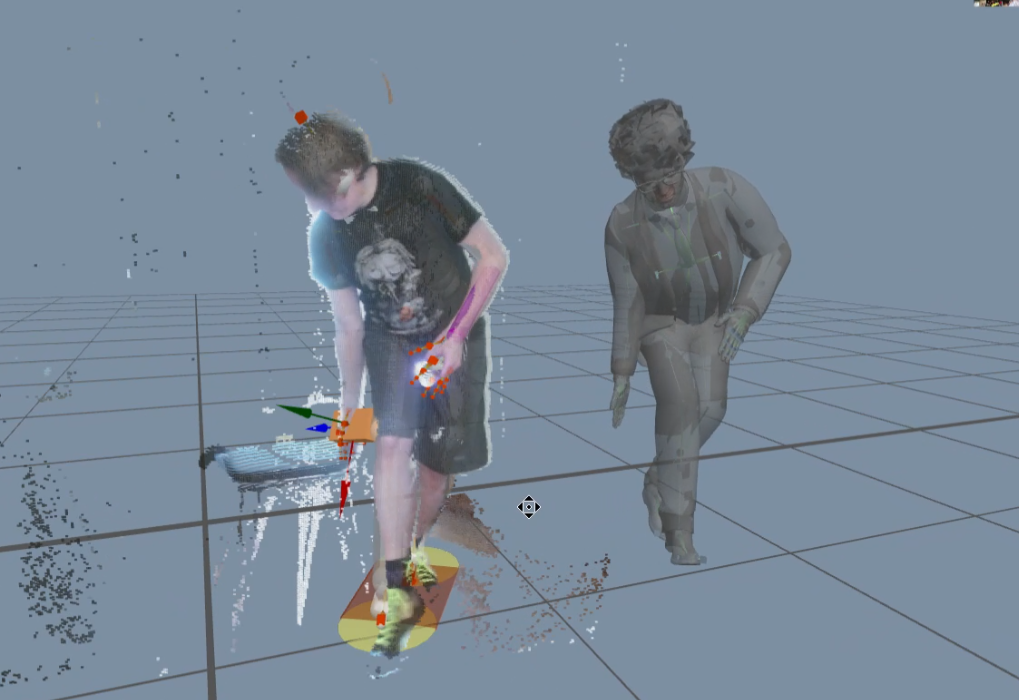
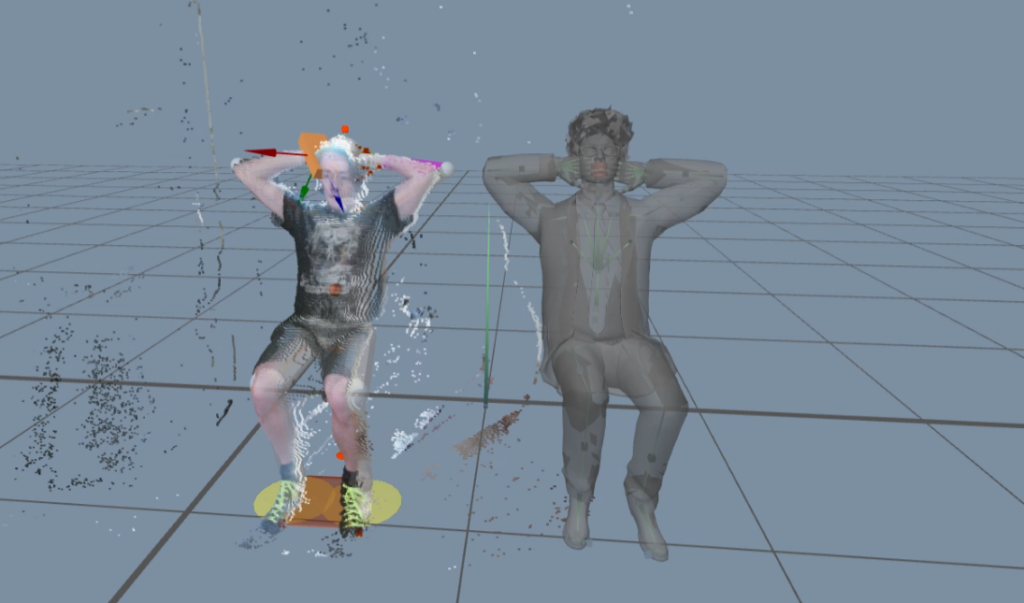
One of the more interesting parts of my work was experimenting with a low budget DIY motion capture setup. I used two Microsoft Kinects, acted out the NPC movements myself, then cleaned up the captured animation in MotionBuilder. I inadvertently captured animated pointclouds of my dog during the process which was a bonus outcome.
Project Type
- VR prototype
- R&D-led production prototype
- Immersive learning
- Communication training
- Accessibility-adjacent design exploratio
Platform / Tools
- Unity
- Meta Quest 1
- MotionBuilder
- Microsoft Kinec
Problem
The core problem was whether we could track and represent nonverbal communication in a way that was useful rather than distracting.
The experience needed to help the user understand things like posture, gesture, eye contact, volume, pitch and pace, without making the interaction feel like a test or a judgement.
There was also a technical problem: mobile VR hardware did not provide full body tracking or true eye tracking, so the design had to work around those limitations.
Constraints
The main constraints were hardware, tracking accuracy and budget.
Meta Quest 1 did not provide full body tracking, so body language had to be inferred from head and controller movement. Without eye tracking, gaze had to be approximated through head direction.
The NPC characters also needed animation, but there was no budget for a full motion capture shoot. That led me to experiment with a two-Kinect setup as a low-cost way to generate rough character performances that could then be cleaned up.
The design also had to avoid becoming too complex too quickly. The user needed to learn the interaction language before being placed into more involved scenarios.
Approach
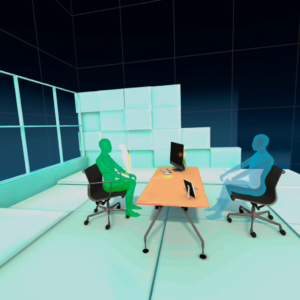
The prototype was structured around a hub and a set of short tutorial exercises.
The learner would begin with a simple onboarding flow, then enter a hub space where they could be introduced to the core areas of nonverbal communication. The design broke these down into three main areas:
- Kinesics, meaning body movement and posture.
- Oculesics, meaning gaze and eye contact.
- Paralinguistics, meaning vocal qualities such as pitch, volume and pace.
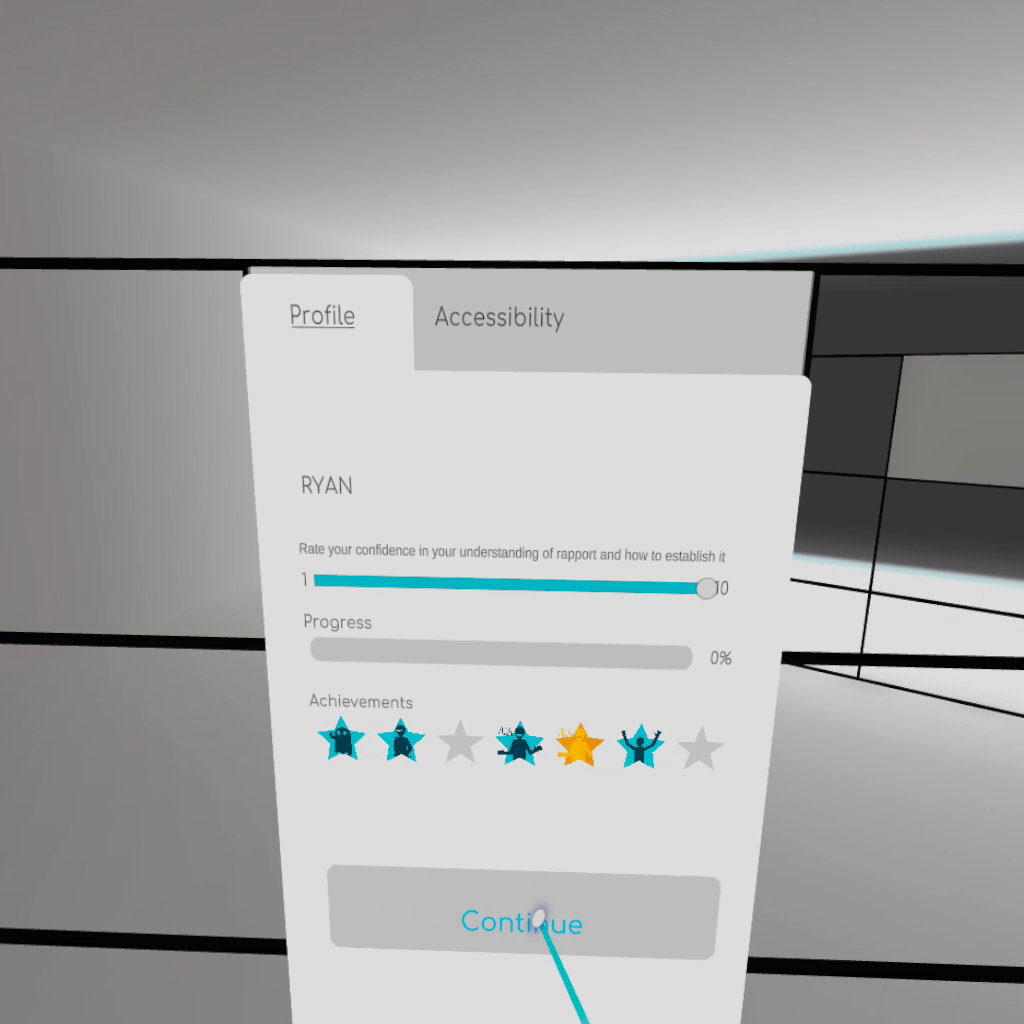
The exercises were designed as short tasks or minigames. They were not intended to block progress or make the user fail. The point was to onboard the learner, introduce the concepts, and calibrate the system where needed.
Kinesics
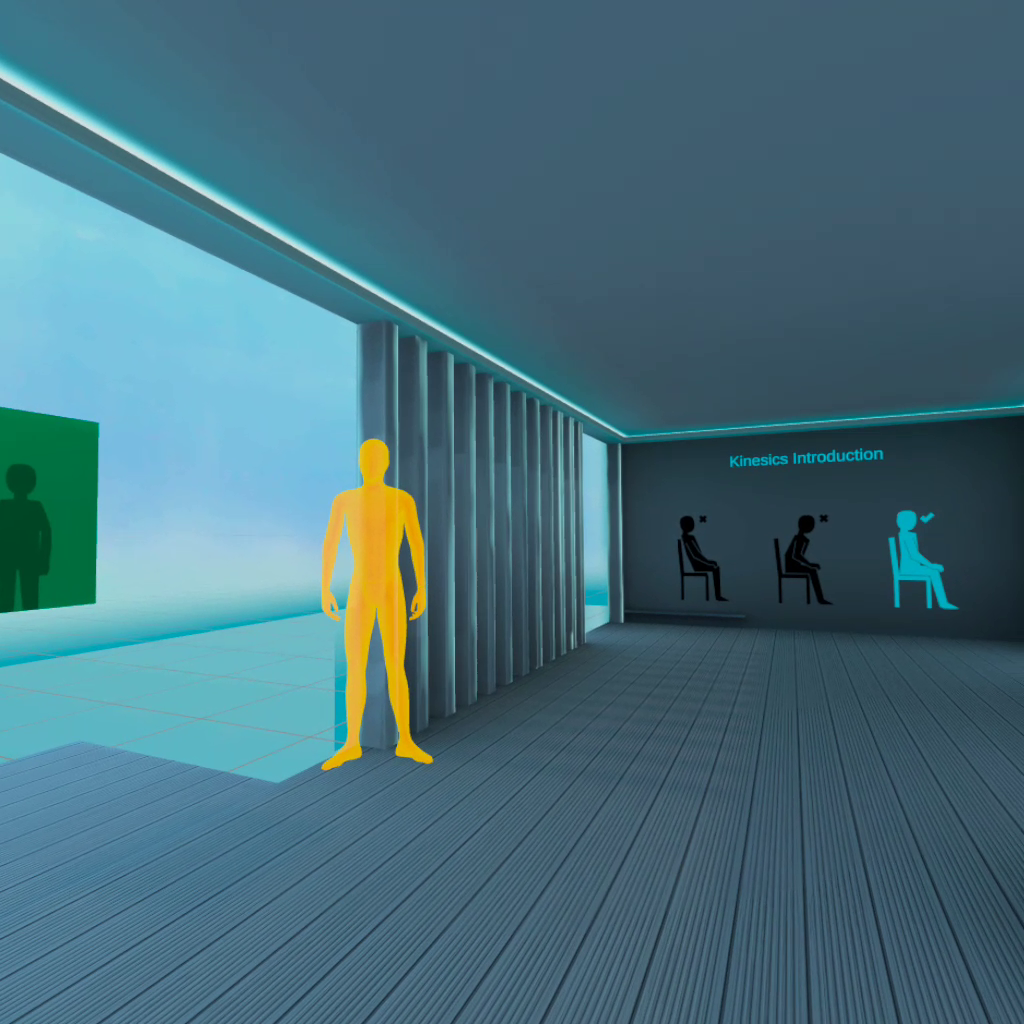
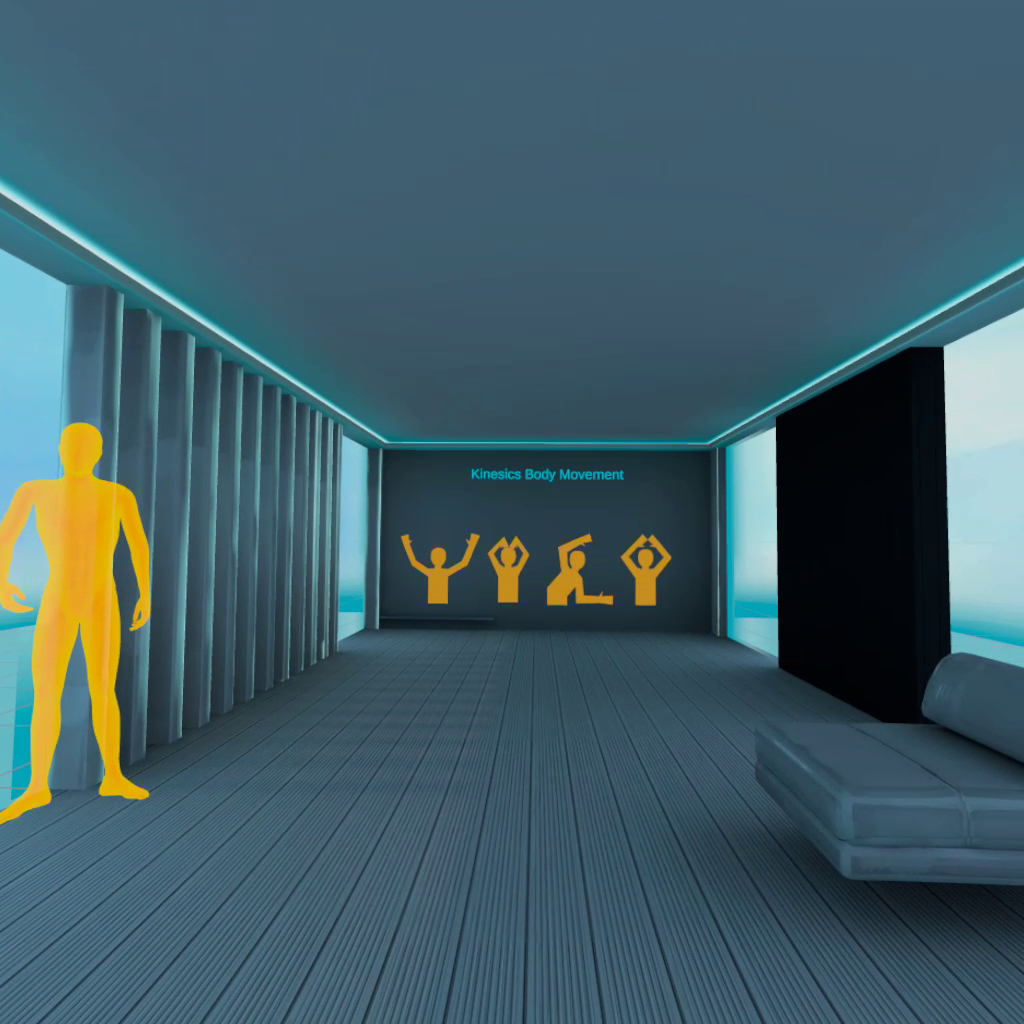
For body language, I designed tutorial tasks around movements we were most likely to be able to track, such as nodding, shaking the head, leaning forward and hand movement.
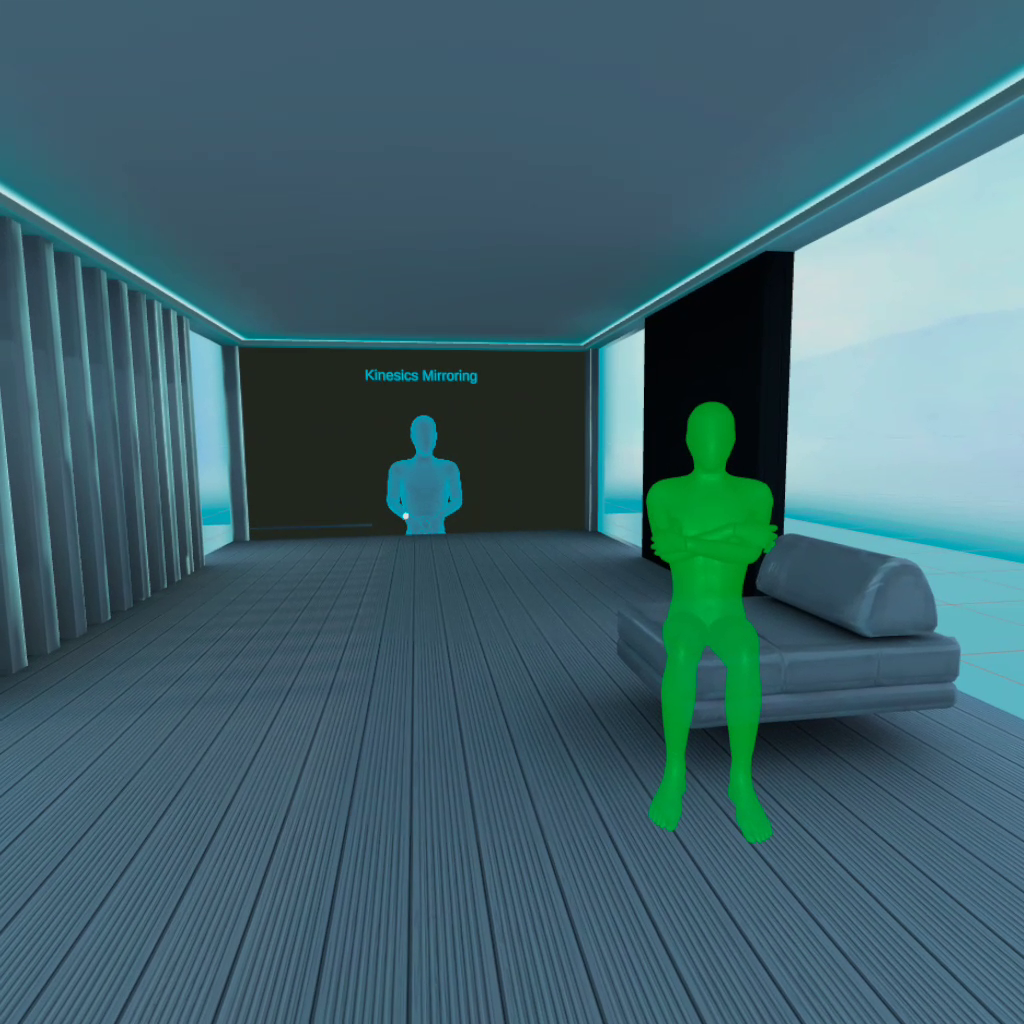
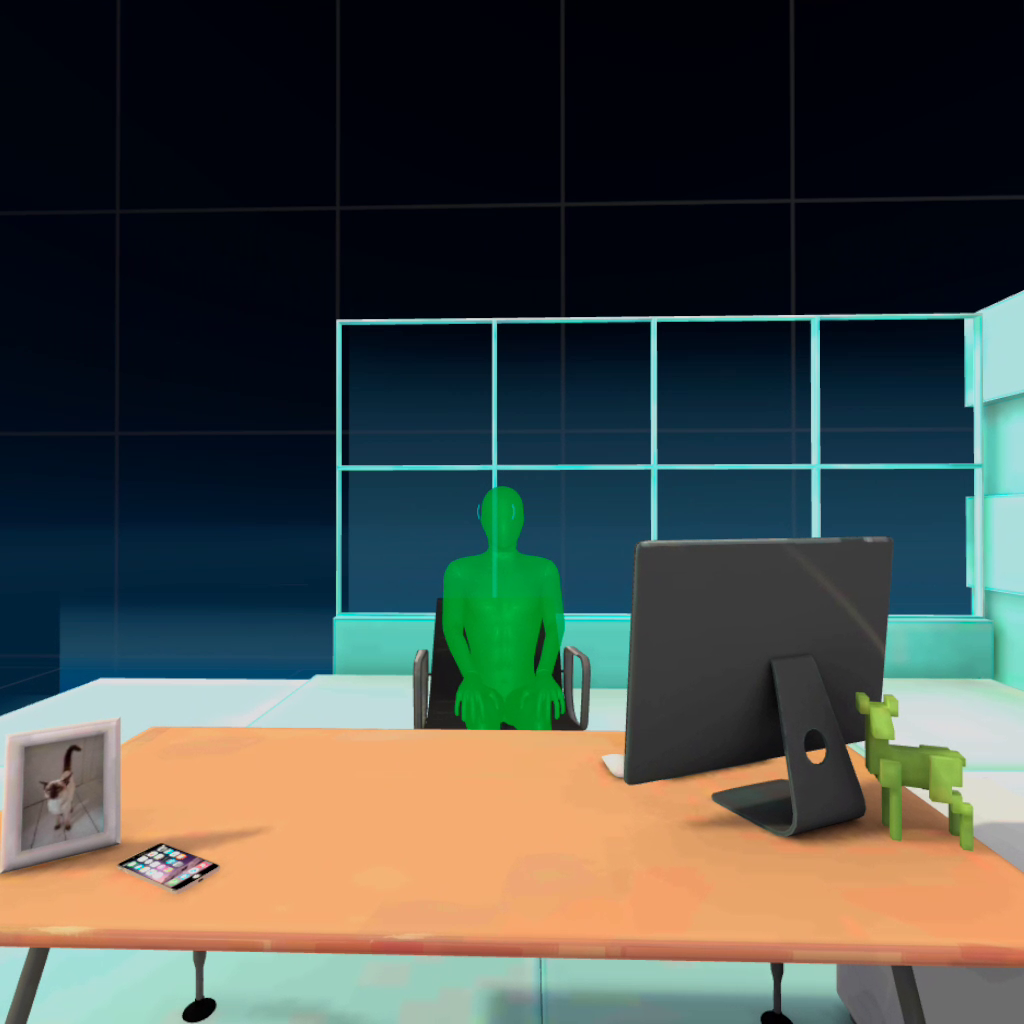
The learner would be asked to sit upright, hold a pose, and receive visual and audio feedback. Later tasks introduced a ghost avatar that the learner could mirror, helping them understand how posture and movement could communicate different signals.
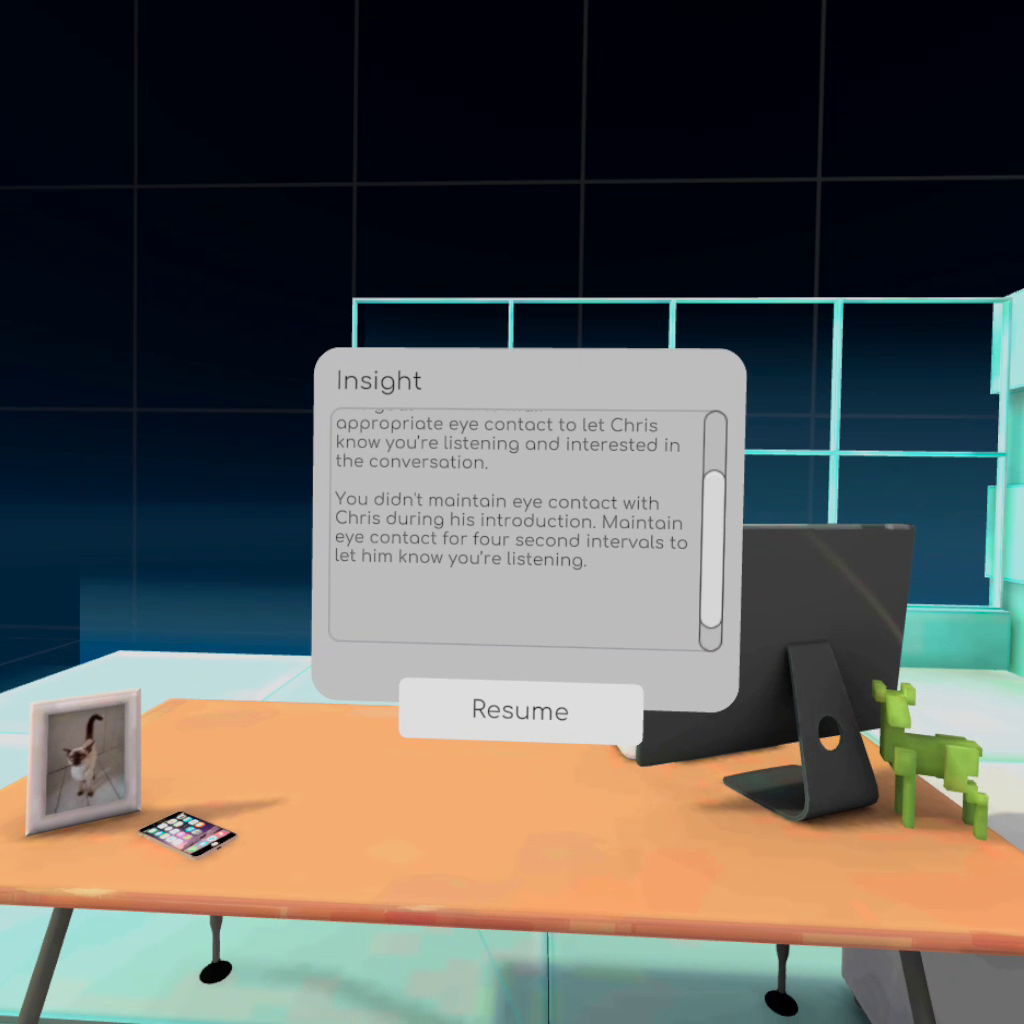
The design included achievements and feedback to make the process feel more playful and less clinical.
Oculesics
Without true eye tracking, I designed around gaze tracking instead.
The learner would practise directing and holding their gaze on targets. This taught them to use head direction as a stand-in for eye contact, which would later support interactions with NPCs.
The design also explored the social meaning of gaze: looking away too often, staring too long, becoming distracted, or switching attention between speakers.
Paralinguistics
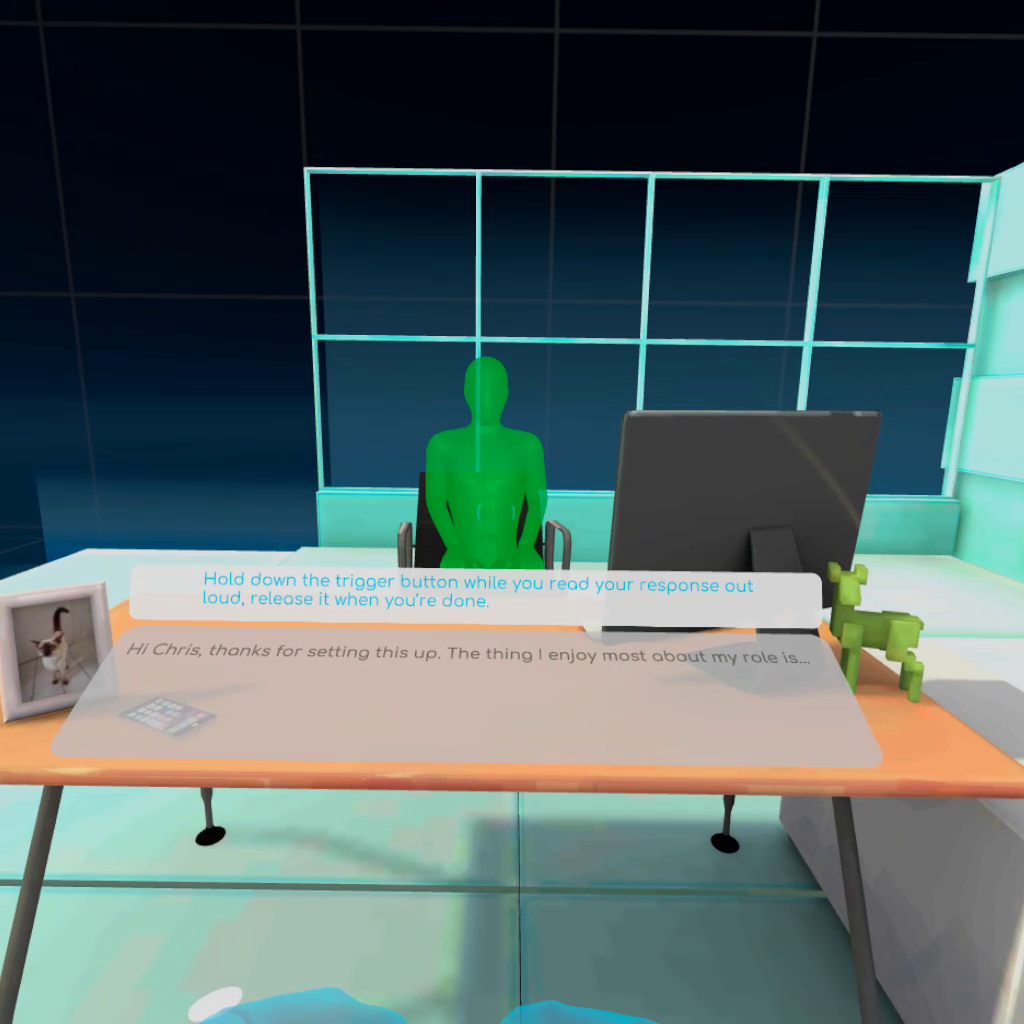
For voice, I explored how the system might respond to qualities of speech rather than the words themselves.
The prototype focused on pitch, volume and pace. The learner would speak aloud, receive visual feedback, and try to match their delivery to a target range.
The intent was to make the learner more aware of how delivery can affect communication. Speaking too quietly, too loudly, too quickly, too slowly, too flatly or with too much intensity can all change how a message is received.
Motion Capture Exploration
For the NPC characters, I experimented with a low budget mocap workflow.
I set up two Microsoft Kinects, acted out the character movements myself, captured the performances, then cleaned them up in MotionBuilder.
This was not a polished production mocap pipeline, but that was the point. I wanted to see whether we could generate usable NPC animation quickly and cheaply, without needing a dedicated mocap stage or external shoot.
It gave us a practical way to test character behaviour and body language inside the prototype.
Key Technical / Design Decisions
- Use tutorial minigames to introduce nonverbal communication concepts before placing the user into scenarios.
- Break the experience into kinesics, oculesics and paralinguistics so each communication type could be introduced separately.
- Use gaze tracking as a practical substitute for eye tracking on hardware that did not support true eye tracking.
- Focus voice analysis on pitch, volume and pace rather than word meaning.
- Use a ghost avatar and mirror-style interactions to help the learner understand body movement and posture.
- Use achievements and playful feedback to avoid making the experience feel like a pass/fail assessment.
- Experiment with two Kinect sensors as a low budget mocap solution for NPC animation.
- Clean up captured motion in MotionBuilder so it could be tested in the VR prototype.
Outcome
The prototype helped identify the practical limits of the available hardware, particularly around body tracking, gaze tracking and voice input.
The mocap experiment showed that low-budget capture methods could be useful for prototyping NPC behaviour, especially when the goal was to test movement, timing and presence rather than produce final animation.
For me, the project was a useful example of R&D-led design: taking a broad idea, breaking it into testable interaction systems, then building a prototype around what the hardware could realistically support.
Skills Demonstrated
- Immersive design
- VR interaction design
- Unity prototyping
- Technical R&D
- Motion capture
- MotionBuilder cleanup
- Low-budget production problem solving
- Gaze tracking design
- Voice interaction design
- Art direction
- Design documentation
- Cross-disciplinary collaboration